Changelog

Product Releases

  • November 16, 2026
  • vv8.32.24

November 16, 2026

Add Documents to a Conversation in Progress

Drag documents straight into a Halley chat. Processing one more file no longer means starting a new conversation, and new chats offer intent cards for new documents, replacements and renewals.

  • November 10, 2026
  • v8.32.19

November 10, 2026

Compliance Tab

Requirement rows now show only the parts that actually apply to the loan in front of you, rather than every branch of the rule. Click any row to see the exact fields behind it and edit them in place, without moving to the checklist and back.

Stop Halley and Keep Going

Stop replaces Cancel. Stopping a run now ends the work in progress without discarding the conversation, so you can tell Halley what to do differently and carry on from everything it has already done rather than starting over.

See What Halley Did

Halley's chat names documents by file name, separates the steps that changed the case from the ones that only looked something up, and closes a run with a summary of what it wrote.

  • October 29, 2026
  • v8.32.9

October 29, 2026

Steer AIR While It Works

You can now direct AIR mid-run rather than waiting for it to finish. Send a message while it is working and it completes the step it is on, reads what you said, and carries on from there. You can queue a message to be picked up as soon as the current work finishes, or stop a run cleanly; in-flight work completes, nothing further starts, and the conversation ends without losing what was done.

  • October 23, 2026
  • v8.32.1

October 23, 2026

AIR (Beta Release)

We introduced AIR, an agent for building insurance requirements through conversation rather than field by field. Describe what a program requires and AIR works against your existing risk profiles to propose and build the requirements. AIR is invite only while we work with early users.

  • October 20, 2026
  • v8.28.0

October 20, 2026

Case Agent Controls

Turning the case agent off for an organization now applies everywhere, including the API, rather than only in the interface.

  • October 15, 2026
  • v8.25.2

October 15, 2026

New Requirements PDF

Risk Requirements PDF is available for initial renewal outreach in the case intelligence menu.

  • September 23, 2026
  • v8.22.41

September 23, 2026

One Place to Work With the Agent

Case chat has been folded into Halley, so there is a single conversation on a case rather than two. When Halley is close to a match but not certain, it now asks rather than deciding quietly.

Report Filtering

Filter options can be selected and cleared in bulk, tasks can be filtered by name, and the policy compliance report adds a Policy Start Date column with filtering. Report headers have been reworked for consistency across reports.

  • September 14, 2026
  • v8.22.36

September 14, 2026

Review Before Halley Writes

Halley now presents the policy structure it intends to build before writing any of it, so you can see how it has read a program and change it rather than correct it afterwards. Its status in a case is clearer while a run is in progress.

Saved Reports Polish

Saved reports open in the state you left them, and the tasks report loads faster on large books.

  • September 11, 2026
  • v8.22.35

September 11, 2026

Saved Reports

Any report you have filtered, grouped, or configured can now be saved and returned to, so a quarterly view or a weekly book review is one click away instead of rebuilt each time. Saved reports live in the left menu under Saved reports, showing type, owner, visibility, and when each was last updated. Keep a report private or share it with everyone in your organization, and view, duplicate, transfer, or delete it from the same menu.

  • September 2, 2026
  • v8.22.27

September 2, 2026

On Hold Status

Cases and policies can now be placed on hold to mark work as paused. Putting a case on hold cascades to its active policies, and coming out of hold either releases the record back to the status it held before.

REST API On Hold Status

New endpoints place cases and policies on hold and release them, so a loan can be paused and fully resumed through the API alone.

Median Pricing Data

Comps and pricing data now highlight medians rather than averages, giving a truer read on where the market is actually clearing. A three-month window has been added to the date filter, and carrier results now align with comp group size.

Tasks Report Updates

The tasks report now supports export, and can be grouped by Insured Group so escalation performance can be reviewed by sponsor. Task reports become generally available September 11th.

Date Math in Requirements

Requirement math functions can now use effective date, expiration date, current date, and expected closing date, so requirements can be written against timing rather than values alone. Release includes additional WIM fixes and optimizations.

  • August 28, 2026
  • v8.22.25

August 28, 2026

Task reports

We introduced a task report covering escalation work across your book. It separates escalations handled in-window from those handed off, and shows how many tasks are open, actioned, overdue, and completed, alongside how long a task takes to action on average. The report is available by request and becomes generally available on September 11th.

Faster requirement authoring

Building and maintaining requirements takes fewer steps with bulk tools and built in dry runs. Risk profiles are searchable, and a new matrix view allows for quick audits of the most important coverages.

Agent Document revisions

Re-uploading a document now records it as a new version of the original rather than adding a second copy alongside it, so a document's history reads as one thread. Release includes additional minor improvements to case agent.

Report refinements

Additional filtering now available on pricing and compliance reports.

  • August 26, 2026
  • v8.22.20

August 26, 2026

Customizable Home Screen

You can now choose which widgets appear on your home screen and arrange them to suit how you work. A portfolio manager watching compliance across a book and a broker tracking renewals have fully independent screens. Choose from our library of widgets to get started.

  • August 20, 2026
  • v8.22.19

August 20, 2026

The agent handles more of the case

The case agent accepts mixed document uploads, so a bundle containing several kinds of document can go in as it came to you. It can also add policies to a case that has already been approved post-close, and it now surfaces every change it makes, so its work is reviewable rather than assumed.

Coverage and peril heatmap

A new report lays limits and deductibles out as a coverage-by-peril grid, so you can see at a glance where your portfolio is at risk and what specific coverages and perils are affecting your books compliance.

Runs you can recover yourself

When the agent stops on something it cannot resolve, you have a way forward. Failed runs are restartable, a run waiting on input stays parked when a retry comes in, and the reason a run stopped is visible in the product instead of requiring a conversation with our team.

Manual case creation

Creating a case manually is a first-class choice again, alongside agentic upload, for the times you would rather enter the details yourself.

Rate on line in pricing views

Pricing now reads as rate on line per $100.

  • August 17, 2026
  • v8.22.9

August 17, 2026

Free trial of Premium

New accounts can now start a 14-day free trial of Premium and continue on the Free plan when it ends, with no commitment up front.

  • August 13, 2026
  • v8.22.4

August 13, 2026

WIM 3.0

We shipped WIM 3.0, a smarter engine with an improved ability to parse complex insurance structures like layered towers, blanket programs, and shared limits spanning multiple policies. Read more about our models on our Labs page. WIM 3.0 is now widely available.

  • August 4, 2026
  • v8.21.20

August 4, 2026

Proposal builder

We introduced a proposal builder for producing client-ready insurance proposals inside the platform. Start from a template and have a proposal built in under a minute, or start from scratch and build it yourself in a full editor with predefined exhibits you can drop in. Proposals draw on the case, asset, policy, and premium data already in the platform, and on select plans they also pull in market data and benchmarking with carrier appetite and macro pricing trends. Pagination and page breaks are handled for you, so the output is ready to send without reformatting.

Carrier appetite in comparable analysis

Comparable analysis now reflects carrier appetite alongside pricing, so you can see not only what similar risks are paying but which carriers are actively writing them.

Compliance tab optimizations

The Compliance tab and Policy Revisions view load faster, particularly on cases with many policies or requirements.

  • July 29, 2026
  • v8.21.14

July 29, 2026

Compliance reports

You can now generate a compliance report for any case or policy. Reports show requirement status, what remains outstanding, and the evidence behind each result. They can be exported, saved to the case, or sent on to a borrower or lender. New home page widgets shows a snapshot of your reports.

Compliance score

Policy summary cards now show compliance score. Expired policies are excluded from scoring and their requirements are shown as missing. Case-level and policy-level scores now agree across the Overview and Policies tabs.

New Policy Status

Policies can now be parked as "Renewal in progress" to signify that collection and renewal work has begun. This is reflected in all reporting.

Case agent improvements

We improved how the case agent handles large and inconsistent document sets. Renewal documents now attach to the correct policy term, the same property is recognized across documents that describe its address differently, and duplicate assets and policies are prevented rather than created and cleaned up later. When the agent needs a decision from you, it asks once per case and surfaces the request on the case and in your inbox.

Rule engine updates

We continued rebuilding the compliance rule engine to bring new insurance programs online faster. Requirement logic now supports single-peril policies, policy naming has been reworked for clarity, and compliance feedback covering several policies is consolidated into a single message rather than repeated per policy.

Self-serve plans and upgrades

Plan entitlements are now applied consistently across the platform. Gated features show what unlocks them, upgrades take effect immediately. For more information, see Pricing.

Market Terminal updates

Comparable analysis now includes neighborhood-level metrics, and trading charts have a fresh look.

Platform improvements

Performance and minor fixes have been pushed to improve user experience.

  • June 28, 2026
  • v8.19

June 29, 2026

Self-Serve Sign-Up & Plans

We introduced a public sign-up experience so new users can create an account, choose a plan, and reach their first insight without a sales call.

  • Public sign-up.

    A streamlined flow takes new users from account creation to their first upload in minutes.

  • Plan selection.

    Users can choose from Free, Risk Analyst, Portfolio Manager, and Market Strategist, each clearly packaged.

  • Guided first run.

    A new home page introduces the platform with a Portfolio Overview, in-product tours, and optional sample data.

  • Early value.

    Users can generate a report on a draft case, surfacing results before a case is fully set up.

  • In-product feedback.

    Feedback can be submitted, ranked by severity, directly within the platform.

Organization & Team Management

We introduced organization-based access and a dedicated Settings area, so teams can manage their workspace and collaborate on the right data.

  • Settings.

    A new Settings area covers Account, Organization, Team Members, and Billing.

  • Organization-based access.

    Permissions now follow organization membership rather than a fixed personal role, keeping collaboration secure and scoped.

  • Team invitations.

    Members can be invited several at a time and can open cases, be mentioned, and be assigned work, with notifications scoped to the organization.

Rebuilt Compliance Rule Engine

We rebuilt the compliance rule engine for greater precision, and to bring new insurance programs online faster.

  • Coverage-type scoping.

    Requirements can be scoped by coverage type, including “all coverage types except…”, with policy-level rules driven by coverage type and peril evidence.

  • Material Requirements.

    The Compliance tab can be filtered to material requirements only, with the compliance score recalculating against just those requirements to match Power BI reporting.

  • Requirement controls.

    Messages can be edited on published requirements, Single Location Liability is supported as a policy type, and the premium model has been refined.

  • Faster program build-out.

    New migration tooling moves existing programs into the new engine format and accelerates how new programs are created.

Agentic Case Creation

We expanded AI-assisted case creation so the agent can build cases from uploaded documents, extracting assets, policies, and terms.

  • Existing cases.

    The agent can now be enabled on existing cases, not only new ones.

  • Clearer setup.

    Cases are returned with an owner assigned and any missing asset fields surfaced in the tab header.

  • Improved reliability.

    Duplicate-asset protection, failure-and-rerun handling, and a multi-step requirement builder deliver more consistent results.

Concentration Mapping & Blanket Analysis

We introduced a geospatial concentration view for Statement of Values portfolios, making it easier to see where exposure is concentrated.

  • Concentration map.

    Heat and cluster mapping with radius-based concentration analysis and regional peril callouts.

  • Radius-aware output.

    The AI-generated narrative and PDF export reflect the selected radius.

  • SOV workflow.

    Skipped rows can be fixed in place, all loans selected at once, and Earthquake sublimits added without restarting.

Unified Market Intelligence

We brought pricing and market intelligence into the main application, alongside portfolio and compliance work.

  • Trading & League Tables.

    Both are now first-class pages under a new Market menu.

  • Comparable Analysis.

    Pricing comps now sit alongside the rest of the workflow.

  • Pricing analytics.

    New price detail and price scatter charts, a price detail table, and enhanced portfolio visualizations.

Platform Improvements

Stability and usability improvements across cases, tasks, documents, and exports.

  • Tasks.

    Six new custom task action types and additional filtering in the Tasks section.

  • Premium Recap.

    Added validation in the Approval module, now available to more plans.

  • Exports and renewals.

    DUS export now reports an SFHA building count of 0 correctly, and renewal notices fire reliably for affected loans.

  • General polish.

    Dark-mode fixes, restored benchmarking charts, accurate waiver document counts, faster search, and continued security hardening.

  • May 21, 2026
  • v8.18

May 22, 2026

Unified Inbox Experience

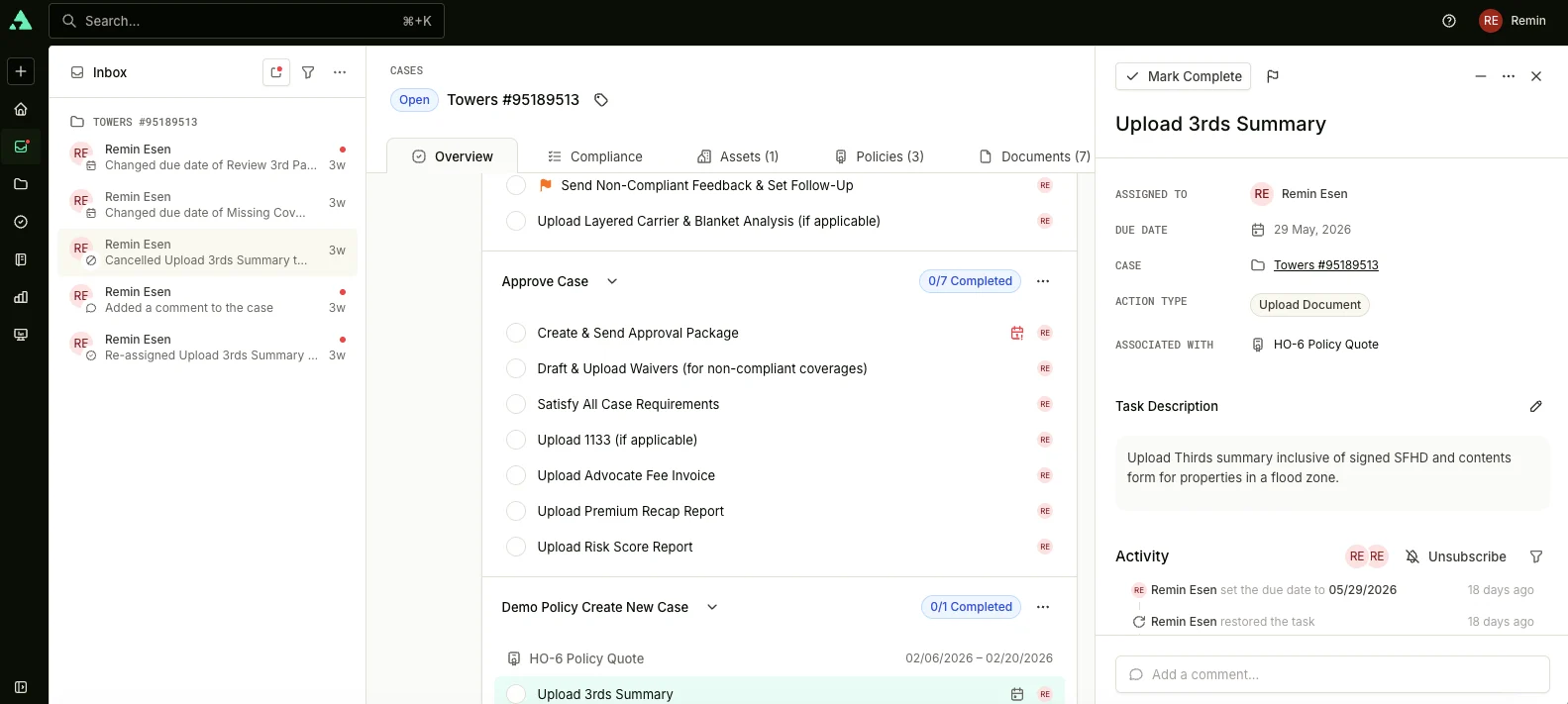
The notifications dropdown has been replaced with a dedicated Inbox page that brings user notifications into a single, prioritized feed. Users can triage work directly from the Inbox without jumping between pages.

What’s new
  • Split-pane layout. List on the left, full detail on the right, so users can review items in context and action.

  • Case-grouped notifications. Related activity stays together, grouped by case and user.

Sidebar Navigation

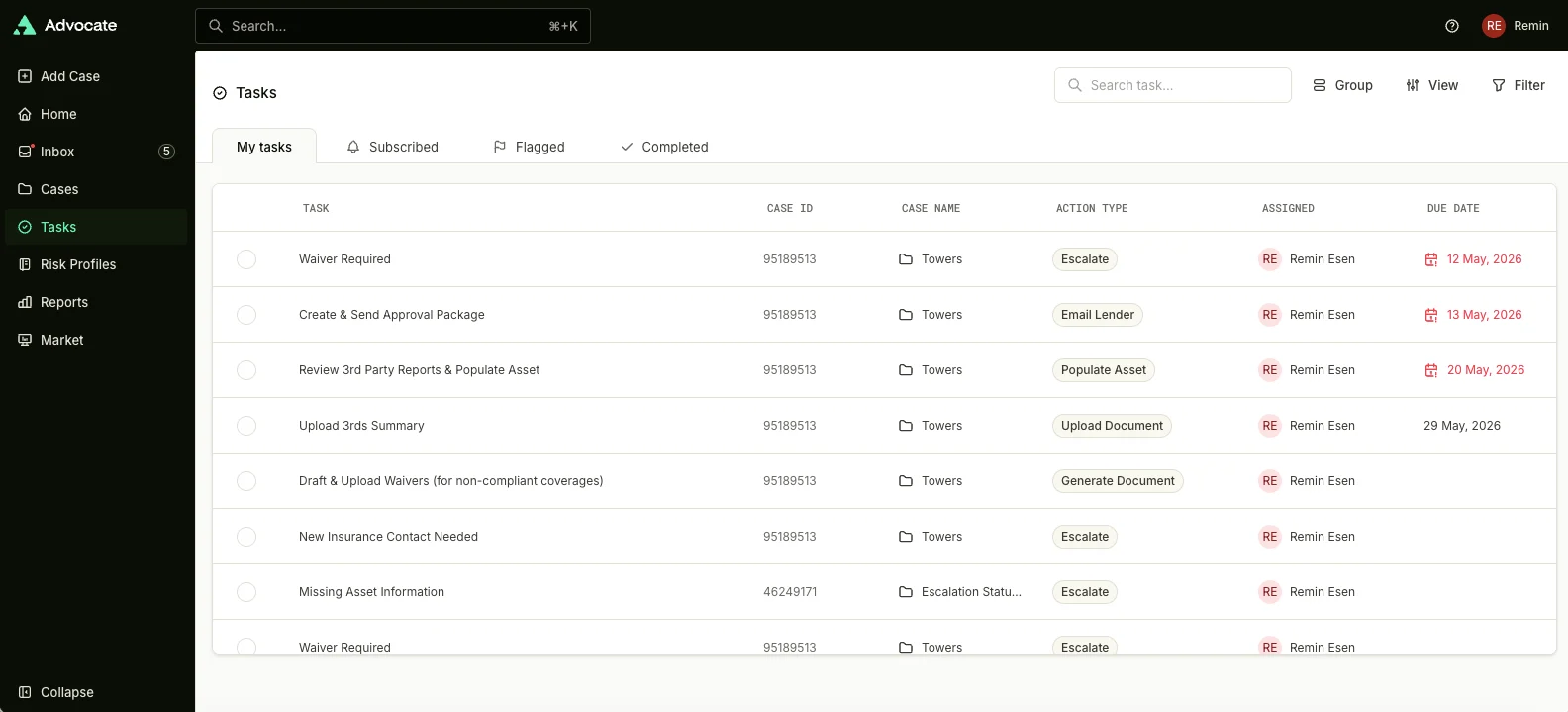
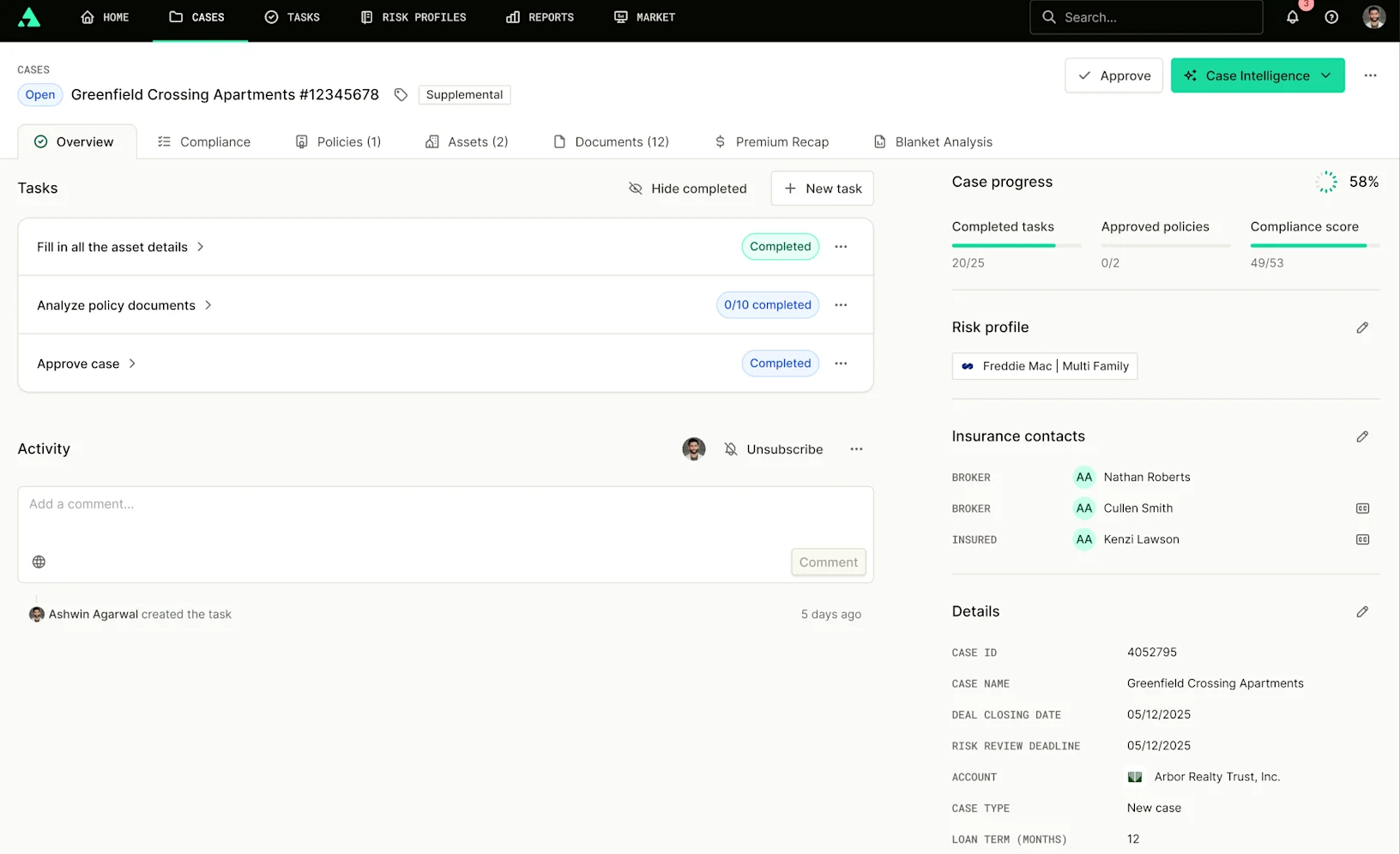
We introduced a redesigned sidebar navigation experience across the platform. The top navigation bar has been replaced with a collapsible left sidebar. Primary navigation now lives on the side; search, settings, and profile remain in a persistent top header.

Guided Product Tours

We introduced new in-app Product Tours to help users learn workflows and discover platform features directly inside the application. Tours surface contextually for new users and reflect the redesigned features.

Single Sign-On (SSO) and MFA Support

We expanded authentication and identity-management capabilities across the platform.

New capabilities include
  • Self-service SSO onboarding. Account users can configure SSO without manual setup.

  • MFA for non-SSO users. Multi-factor authentication is now available for accounts not using SSO.

Platform Improvements

A range of stability and usability improvements across cases, tasks, and documents, including more reliable uploads and previews, smoother task and bulk action behavior, refined approval and reopen flows, and additional sorting options throughout the product.

  • April 16, 2026
  • v8.17

April 16, 2026

Rebranding Tyche Design System

We've updated the platform's visual design system to reflect the new brand identity. This is a visual-only update, no behavioral or interaction changes.

New color palette. Mint replaces the previous brand color as the primary. Lavender is now the dedicated AI accent color. Neutral grays replace the previous green-tinted gray palette across the entire platform.

Updated typography. All-caps monospace styling introduced for metadata labels, field names, and emphasis. Inter remains the primary typeface.

Applied platform-wide. Updated consistently across all existing components including buttons, inputs, dropdowns, cards, navigation, tables, badges, and more.

Release Notes 8.17
Escalation Task Status Tracking

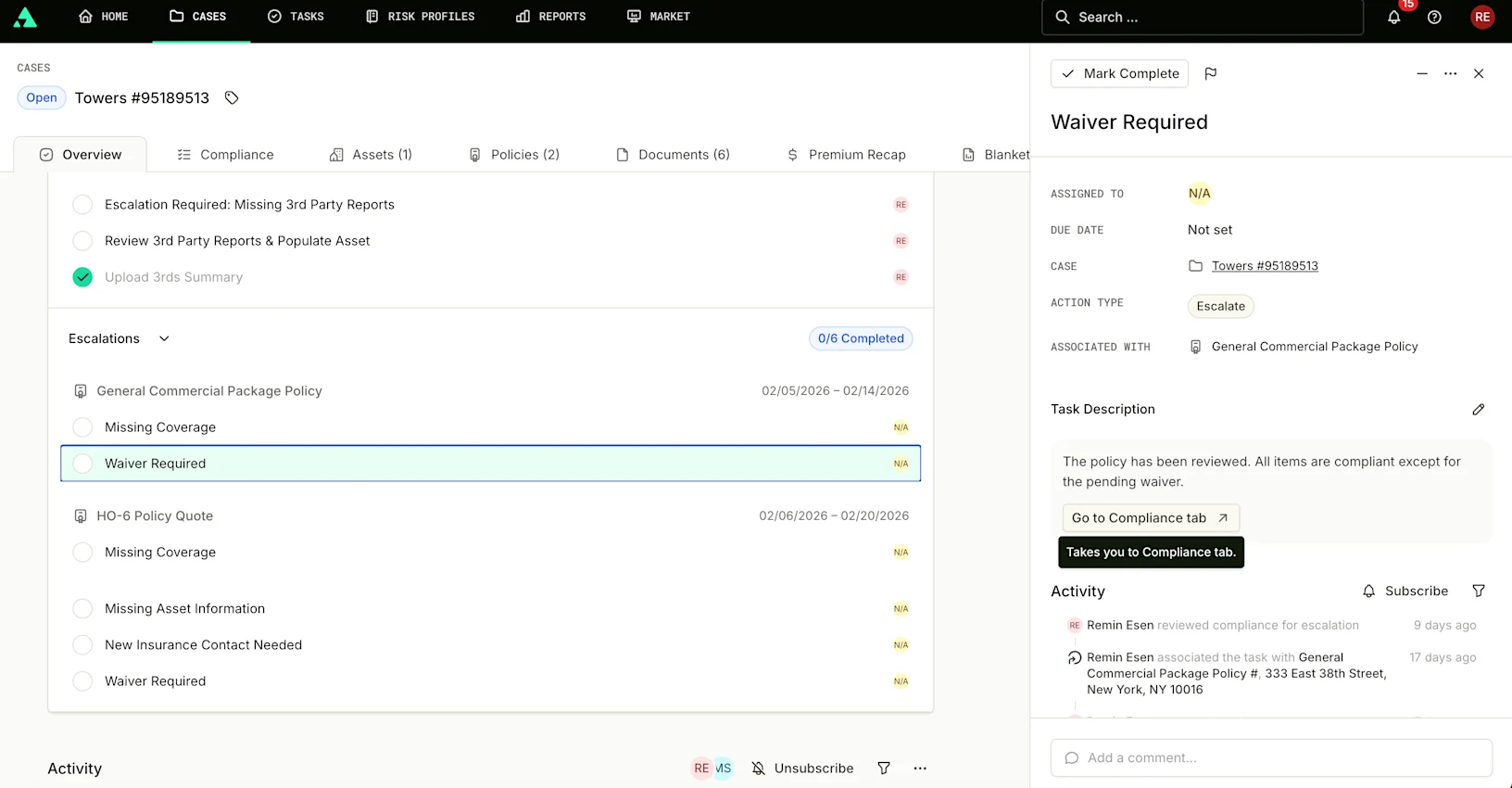
Escalation tasks now guide lenders to the right action and make their engagement fully trackable, without changing the existing task lifecycle.

Contextual CTA buttons. Each escalation type displays a specific action button (like "Go to Compliance tab" or "Confirm borrower contacted") mapped to the lender's expected first step.

Smart routing. Tasks linked to multiple policies or assets show a popover for selection. Single-association tasks navigate directly.

Automatic activity logging. Every CTA action is recorded in the activity log with the actor, action label, and timestamp, visually distinguishable for easy audit scanning.

Undo protection. A timed undo toast appears after each action. If undone within the window, no log entry is recorded.

Duration tracking. Two new dashboard metrics: creation to first lender action, and first action to task completion. You can also filter for escalations with no recorded activity.

Backfilled to existing tasks. All open escalation tasks have been updated with the new CTA buttons automatically.

Release Notes: 8.17
Account-Specific Email Templates

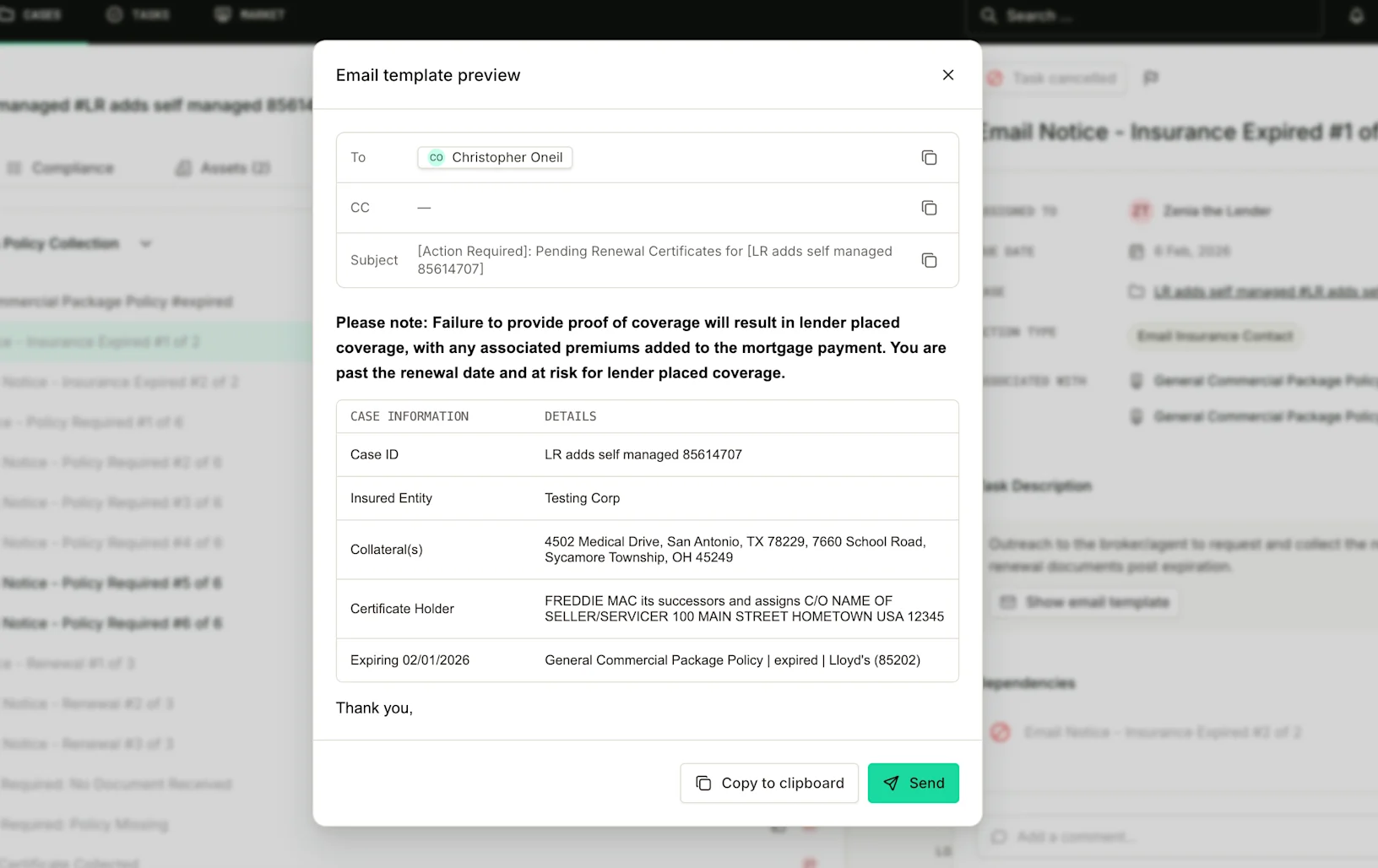
Users can now send emails tailored to their branding and compliance needs, without changing the reviewer workflow.

Account-level template resolution. The platform automatically serves the correct lender-specific template based on the case's account. If no custom template exists, the default is used as a fallback.

ADM template management. Admins can create, edit, and preview email templates in ADM, mapped to task types and optionally scoped to specific lender accounts.

Case data auto-population. Templates automatically pull case and policy data like case reference, insured entity, collateral, and expiration dates before the reviewer sees the preview.

Expanded template coverage. Email templates added to task types that previously had none, including pre-expiration notice, post-expiration notice, broker follow-up, and multiple borrower escalation types.

No change for reviewers. The existing preview, send, and copy-to-clipboard workflow stays exactly the same. The right template just shows up.

Release Notes: 8.17
Flood Analysis Enhancements

We've shipped a round of improvements to the Flood Analysis tool.

SOV upload with AI parsing. Users can now upload a Schedule of Values directly into the flood analysis workflow. The system parses the document automatically.

Auto-pull from Asset Summary. Asset data can now be pulled directly from the case's Asset Summary, reducing manual entry.

"Save to Documents" export. Completed flood analysis reports can be saved directly to the case's Documents tab with one click.

MHC conditional fields. Manufactured Housing Community fields now appear conditionally based on asset type, keeping the form clean for standard properties.

  • March 26, 2026
  • v8.16

March 26, 2026

Self Managed Cases

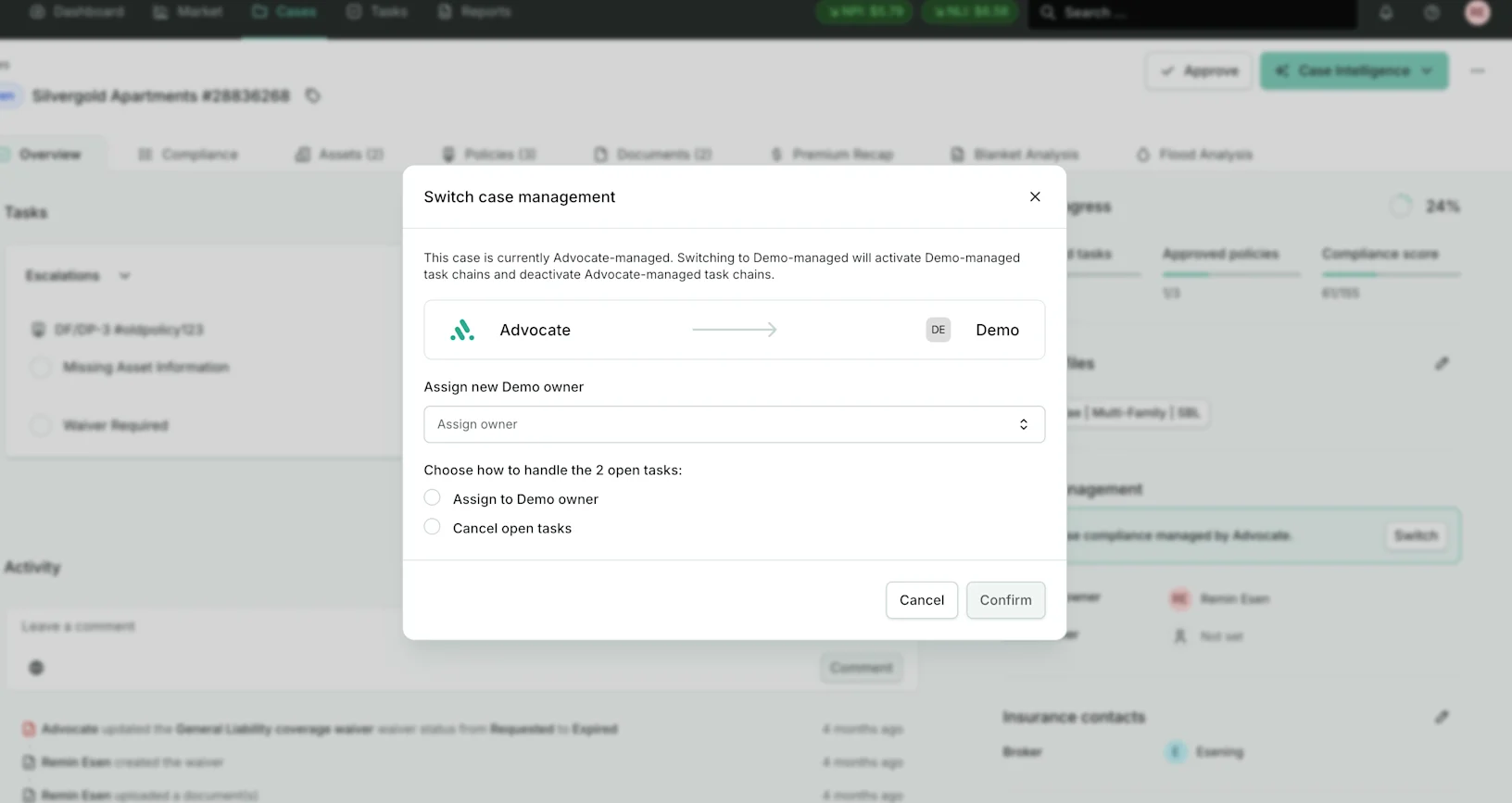
We're giving account users full control over how their cases are managed. With Self Managed Cases, users can now clearly separate the cases they handle independently from those managed by the Advocate team.

Here's what's new:

Visual indicator on cases. Self-managed cases display a dedicated label across all case views, so it's always clear who owns the workflow.

Automatic task routing. When a case is marked as self-managed, task chains and assignment logic automatically route work to the correct owner. No manual reassignment needed.

Flip between modes at any time. Cases can transition between self-managed and advocate-managed at any point in their lifecycle. When flipping, the platform prompts the user to transfer or cancel in-progress tasks, so nothing falls through the cracks.

New task chain triggers. Task chains can now be configured to fire on policy creation, new policy term creation, and document upload, giving teams more flexibility in how they automate case workflows.

Full activity tracking. Every transition between self-managed and advocate-managed is logged with user identity and timestamp for a complete audit trail.

Set management type at case creation. A new checkbox on the case creation flow lets users choose upfront whether Advocate will manage the case or the account owner will handle it independently. This can always be changed later.

Whether a case starts self-managed or transitions mid-lifecycle, the platform adapts automatically. This feature is available for clients on request.

Compliance Time Tracking

We're making compliance timelines fully transparent. Users can now see exactly when compliance requirements changed status and when policies were last updated. All timestamps display in your local timezone.

"Last Status Update" on the Compliance tab. Every requirement, policy row, and peril row now shows a timestamp capturing the most recent status change.

"Last Updated" on the Policies tab. Each policy row shows when its settings or checklist was last modified, along with the name of the user who made the change.

In-app Email for Renewal Notices

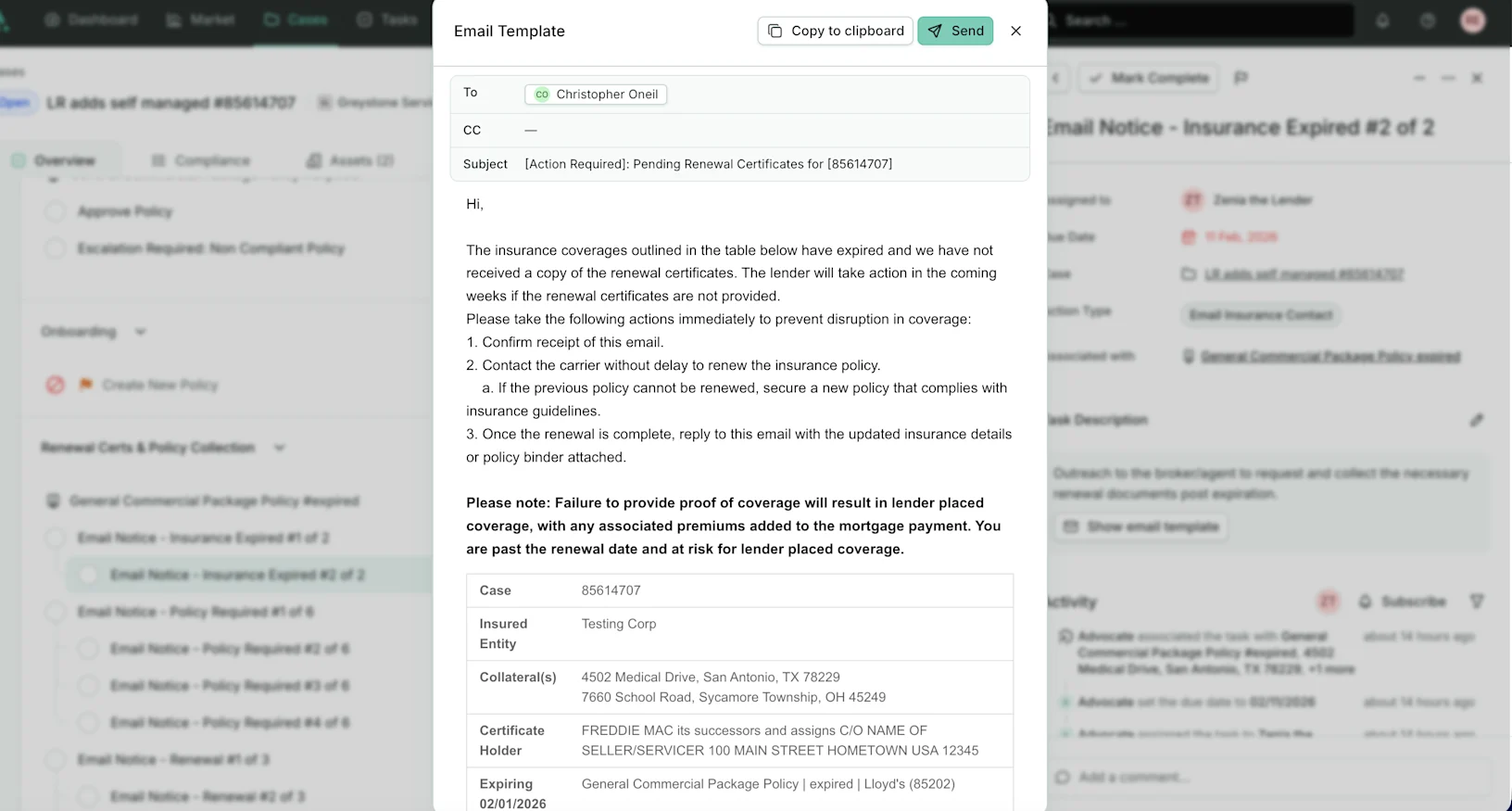
Users can now send renewal notice emails directly from the platform, eliminating the need to manually copy templates into an external email tool.

Send button on renewal notice tasks. Opens a dialog with pre-filled recipient, subject, and email content ready to send.

Account-specific sender address. Emails are sent from a dedicated email address configured for each account, so recipients see a familiar and trusted sender.

Editable CC field. The "To" field pulls from the policy's primary contact. The "CC" field can be adjusted using the policy's contact list.

Both template variants supported. Pre-expiration and post-expiration renewal notices are handled automatically. The existing copy-paste workflow remains available as a fallback.

Blanket Analysis: SOV Workflow

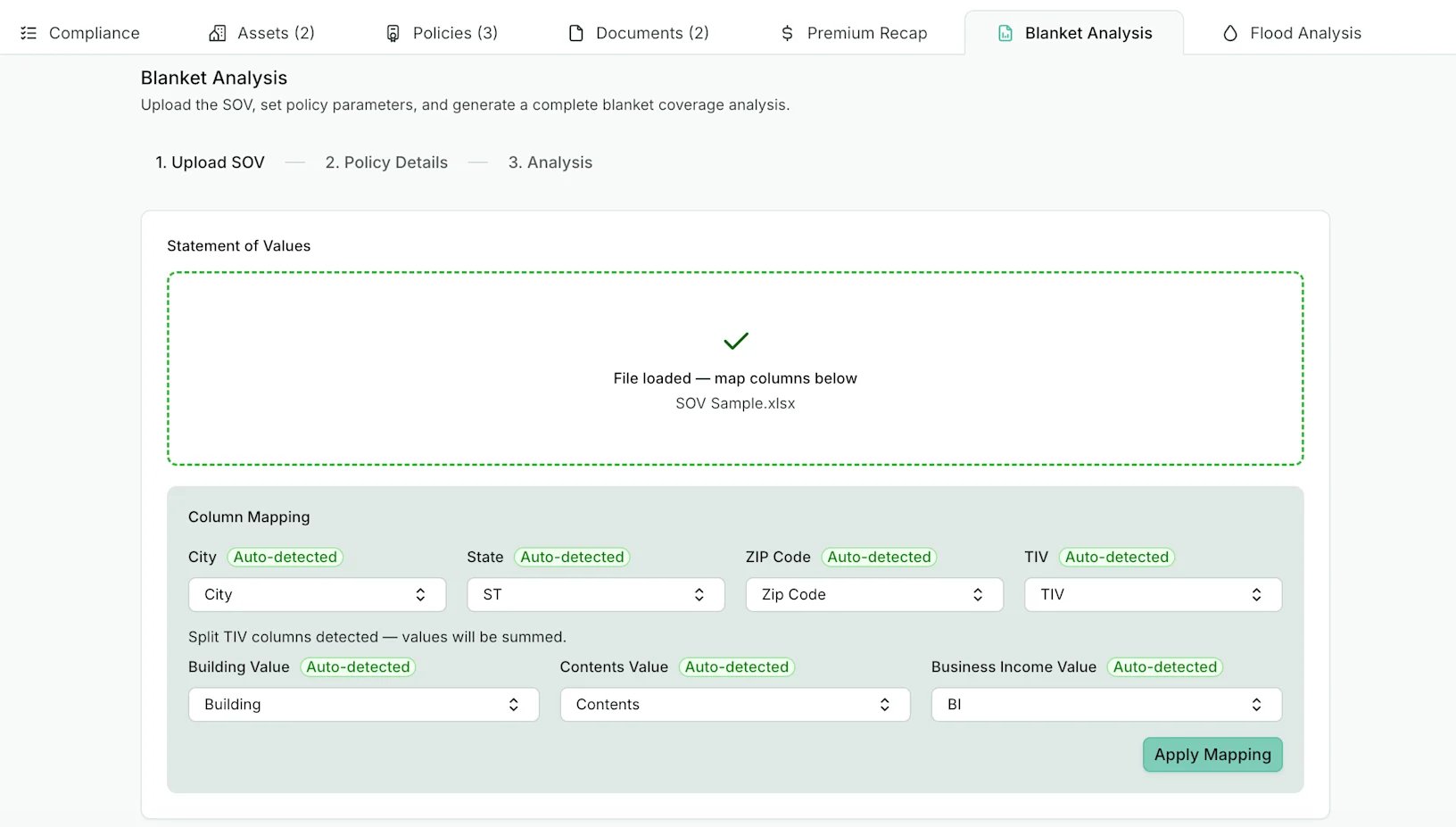
We're bringing blanket analysis directly into the platform. Insurance consultants can upload a Schedule of Values (SOV), confirm policy details, review geographic dispersion and risk metrics, and generate a complete PDF report, all from within the case. No more Excel workbooks or manual data entry.

Policy Association Widget

We've upgraded the "Associate with" widget on task detail with a new two-panel layout. When you hover over a policy or asset in the list, a live preview panel now shows key details like status, policy dates, product type, insurance contacts, and asset addresses. Users can now confidently select the right record without navigating away from the task.

Expandable Policy Field (Flood Building Info)

We've added an expandable "**Flood-Exposed Building Details**" text field in the asset details section. When a building is flagged as being in a Special Flood Hazard Area (SFHA), users can now enter detailed descriptions in a text area that grows with their content. No more cramped input boxes or workarounds. The field appears only when SFHA is set to "Yes" and clears automatically if the selection changes.

Global Search Update

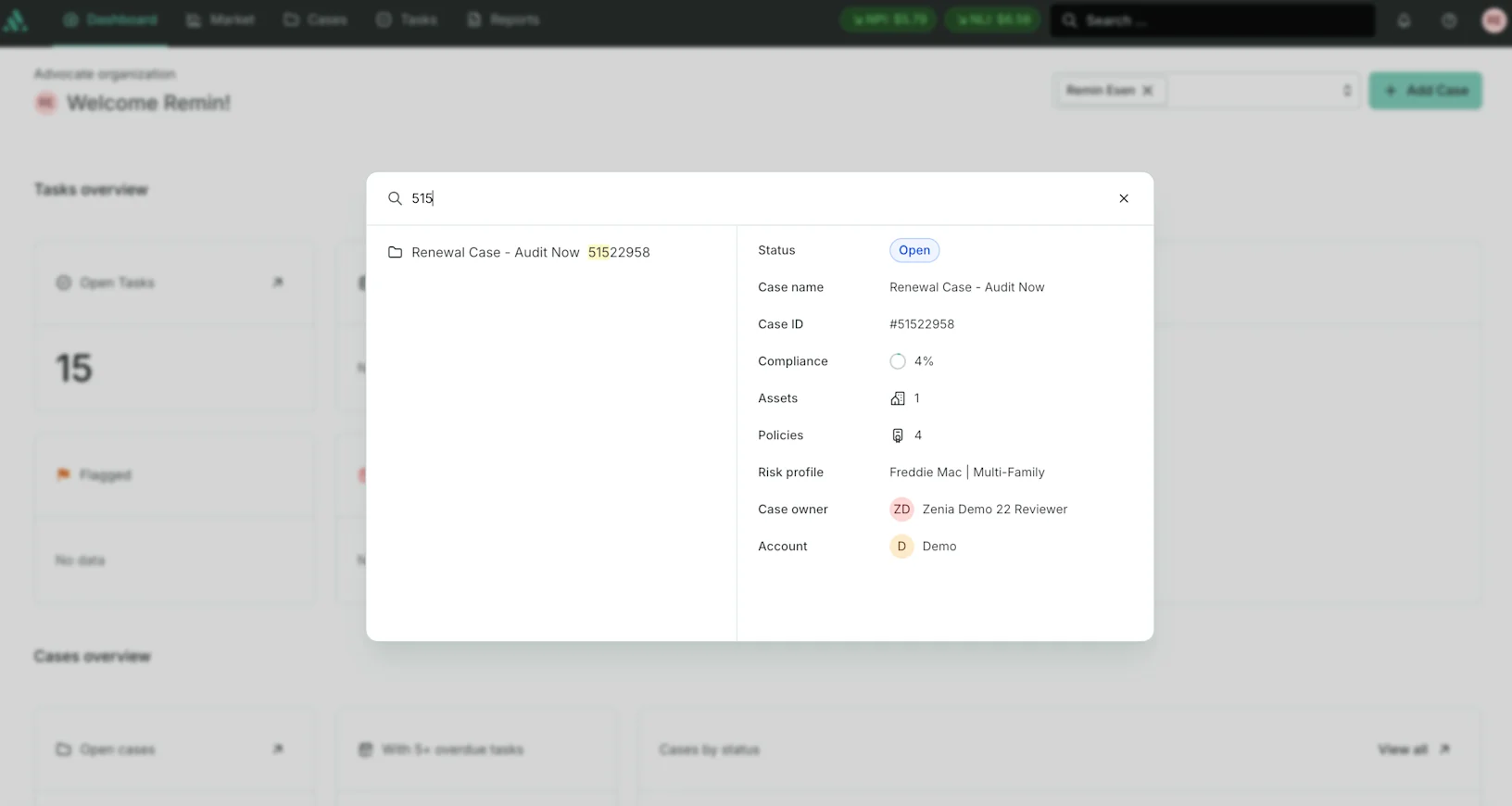
Global search now shows richer information when searching for cases. Case results display additional details directly in the search preview, making it faster to find and identify the right case without clicking through.

Notification: Case Comment Added

Users now receive a notification when another user comments on a case they're subscribed to. The notification shows who commented and on which case, and clicking it takes you directly to the Case Overview screen.

Preview / Coming Soon

The following feature is available for accounts on request. Reach out to the team if you'd like to learn more or request access.

Flood Analysis Tool

Our new in-app Flood Analysis tool replaces the Excel-based flood analysis workflow. Users can validate flood zones, calculate coverage requirements, review NFIP and excess coverage, check blanket compliance, and generate a multi-page PDF report, all without leaving the case. The tool auto-populates values from case asset fields and supports both single-asset and portfolio analysis.